
 EN
 HU
Morse · for iPhone, iPad and Mac
Text to Morse.
Morse to text.
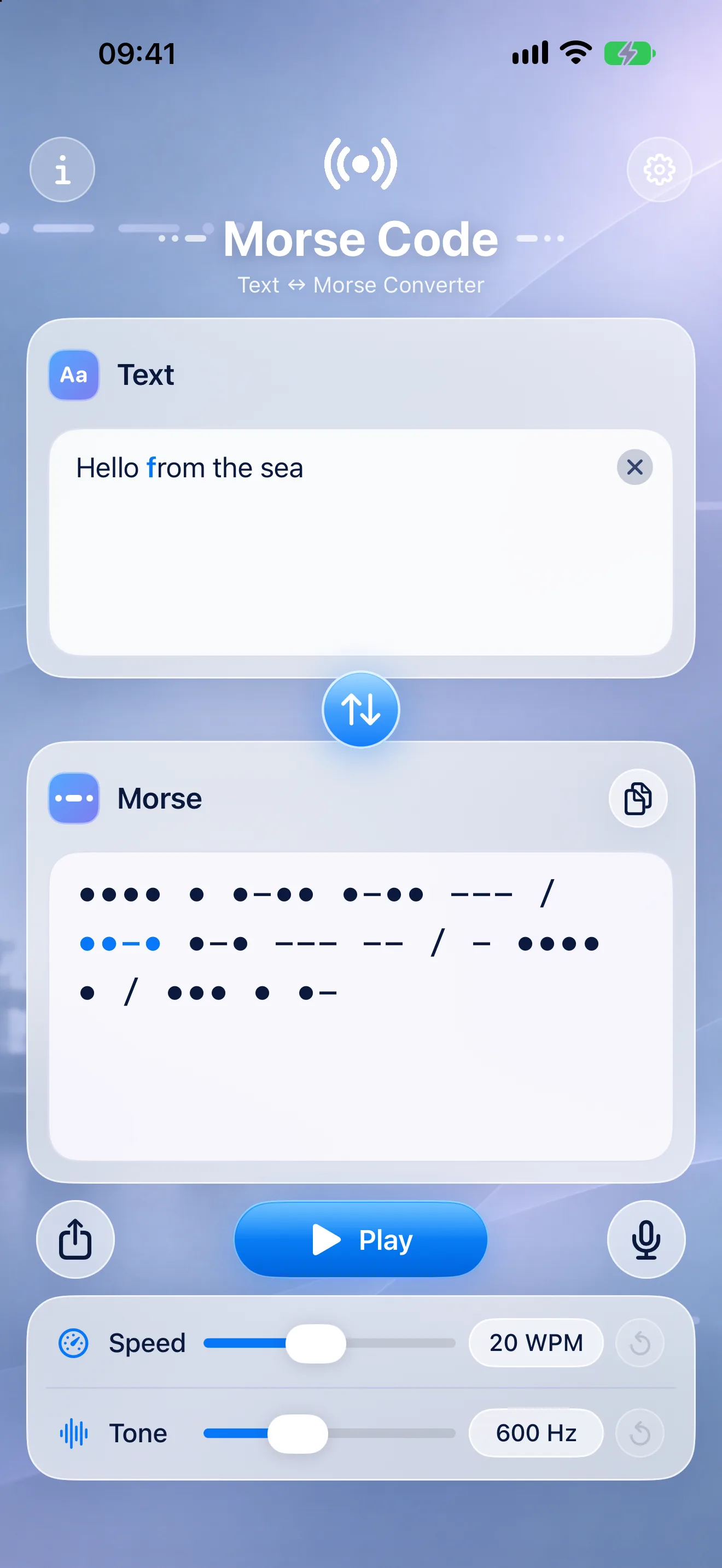
Type a message and hear it as Morse, with every letter lighting up as it sounds. Or hold up your phone and let it write down the Morse it hears. Free, calm and clear, on iPhone, iPad and Mac.
Free · Coming soon to the App Store
- FreeNo ads, no in-app purchases
- iPhone, iPad and MacOne calm design everywhere
- Both directionsPlay it, or listen and decode
- Stays on your deviceNo account, no data collected
Try it in your browser
Type something.
Hear it in Morse.
A small taste of the app, right on this page: every letter shows its dots and dashes, and lights up while it sounds.
Morse code
Turn on JavaScript to type your own text and hear it.
Text to Morse
Write it, see it,
hear it.
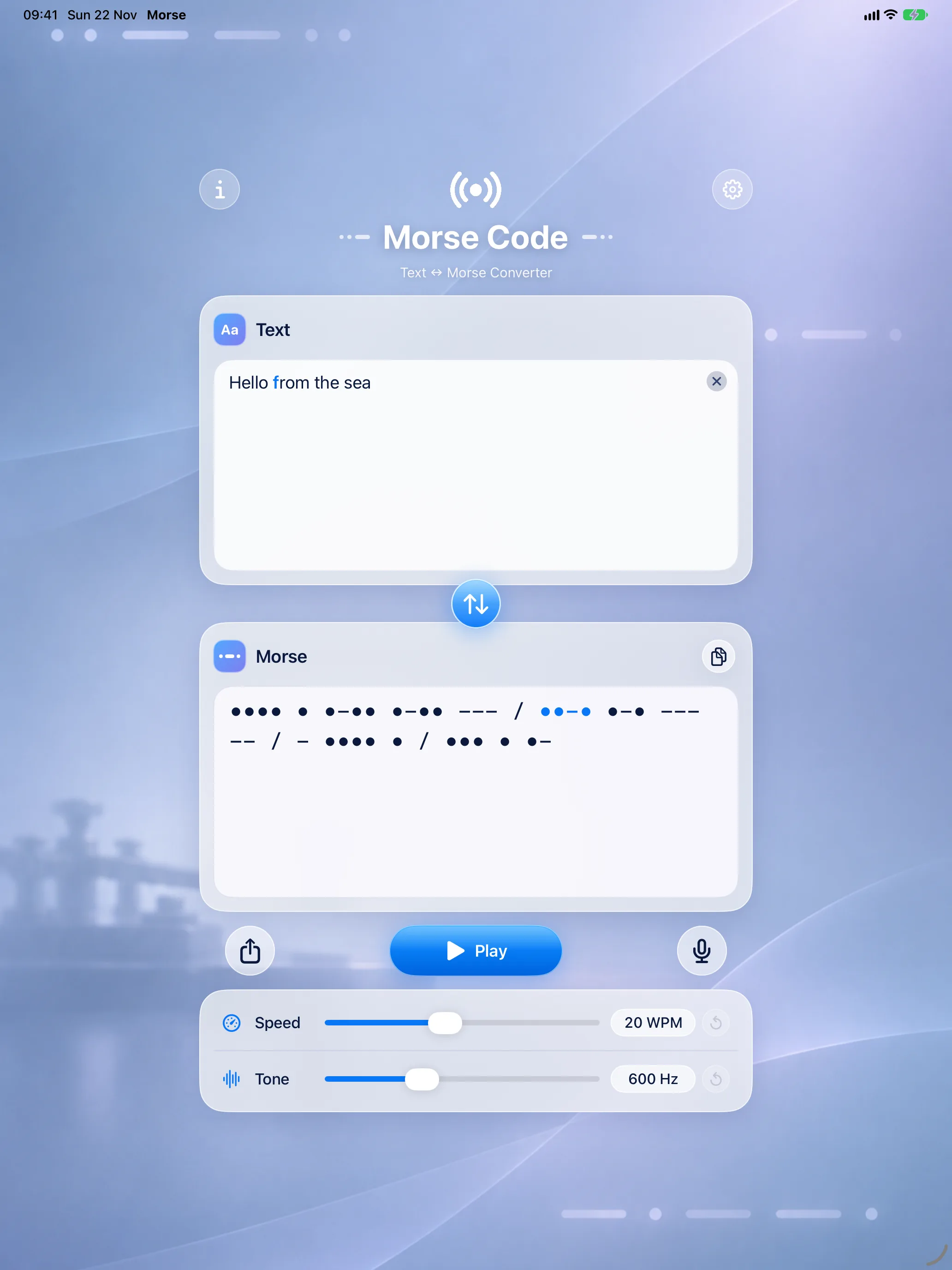
Type or paste any text and its Morse code appears at once. Press Play and the letter you hear lights up in your text and in the code, so you follow the rhythm as it sounds.
-
Every letter lights up
While the tone plays, the sounding letter is highlighted in both fields.
-
Dictate instead of typing
Tap the microphone and speak: your words become text, and the text becomes Morse. Speech recognition runs on your device.
-
Accents understood
é becomes E, ő becomes O. A character with no Morse code is named, never dropped silently.
-
Copy or share
Copy the code with one tap, or share it with any app.
Morse to Text
Let it listen.
Read what it hears.
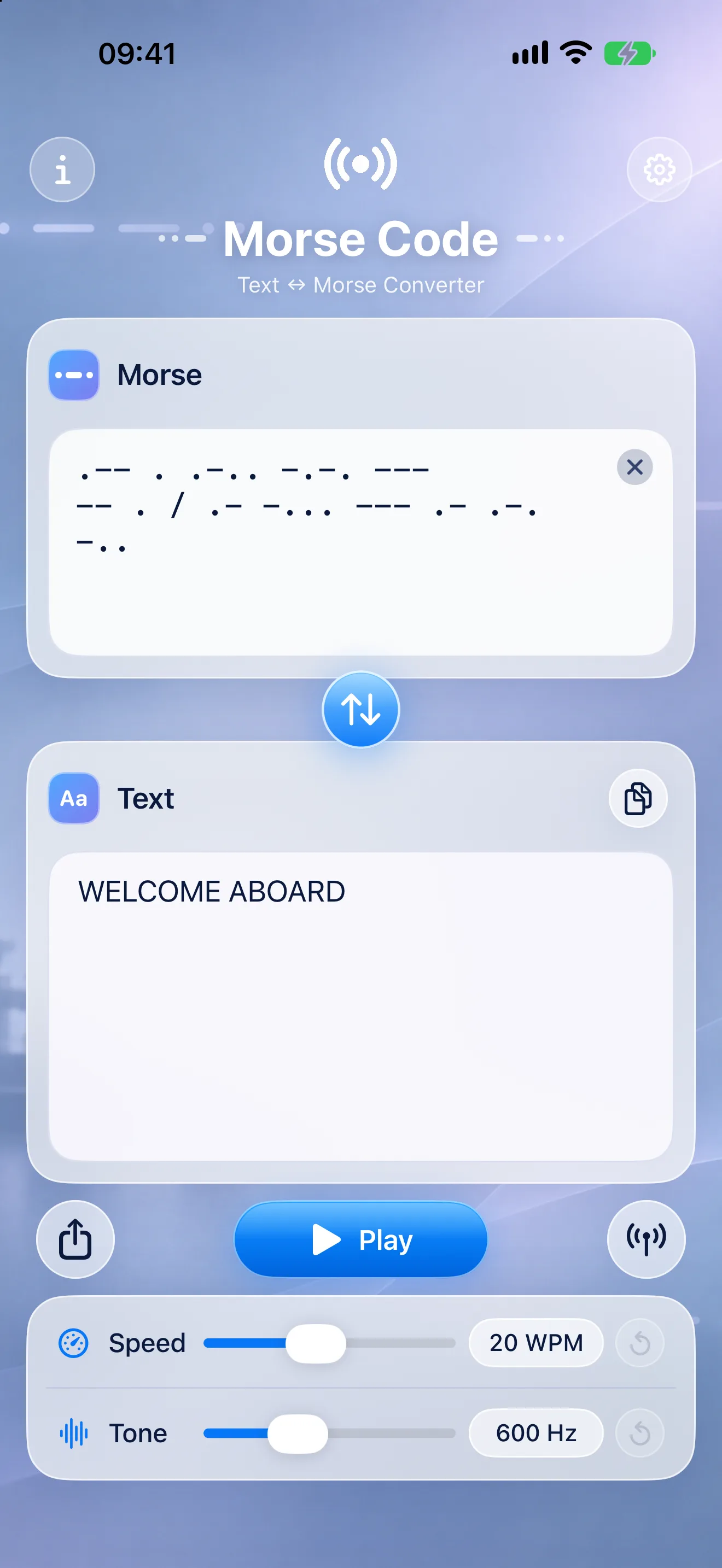
Tap the swap button and Morse becomes the input. Type dots and dashes, or tap the microphone: Morse finds the sender’s tone and speed by itself and writes down what it hears.
-
Finds the tone by itself
It locks onto a steady Morse tone between 400 and 1200 Hz and follows the sender’s speed.
-
Made for real rooms
Built to hear a Morse tone through everyday sound: talk, music, a fan.
-
Never guesses
Procedural signals such as SOS are recognised; an unknown code is marked, not guessed.
-
Type it, too
Paste dots and dashes and read the text as you go. Spaces between letters, a slash or two spaces between words.
Learn and tune
The whole alphabet,
at your speed.
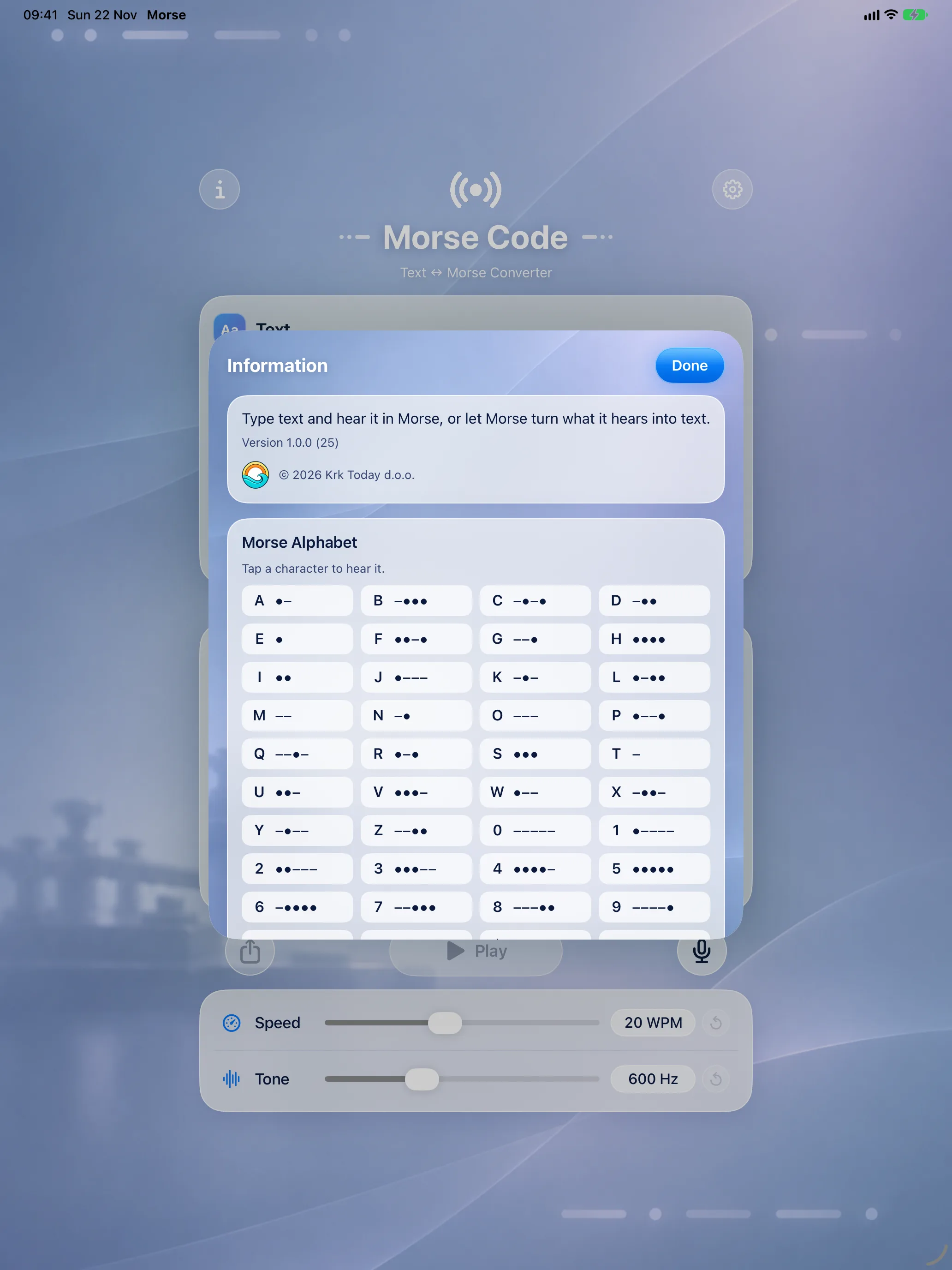
The Morse alphabet with digits and punctuation is one tap away; tap any character to hear it. Set the speed and tone you like, and slow the gaps down while you learn.
-
5 to 40 words per minute
A slider for the speed, with a one-tap reset to 20.
-
Tone from 400 to 1000 Hz
Pick a pitch that is easy on your ears, with a one-tap reset to 600 Hz.
-
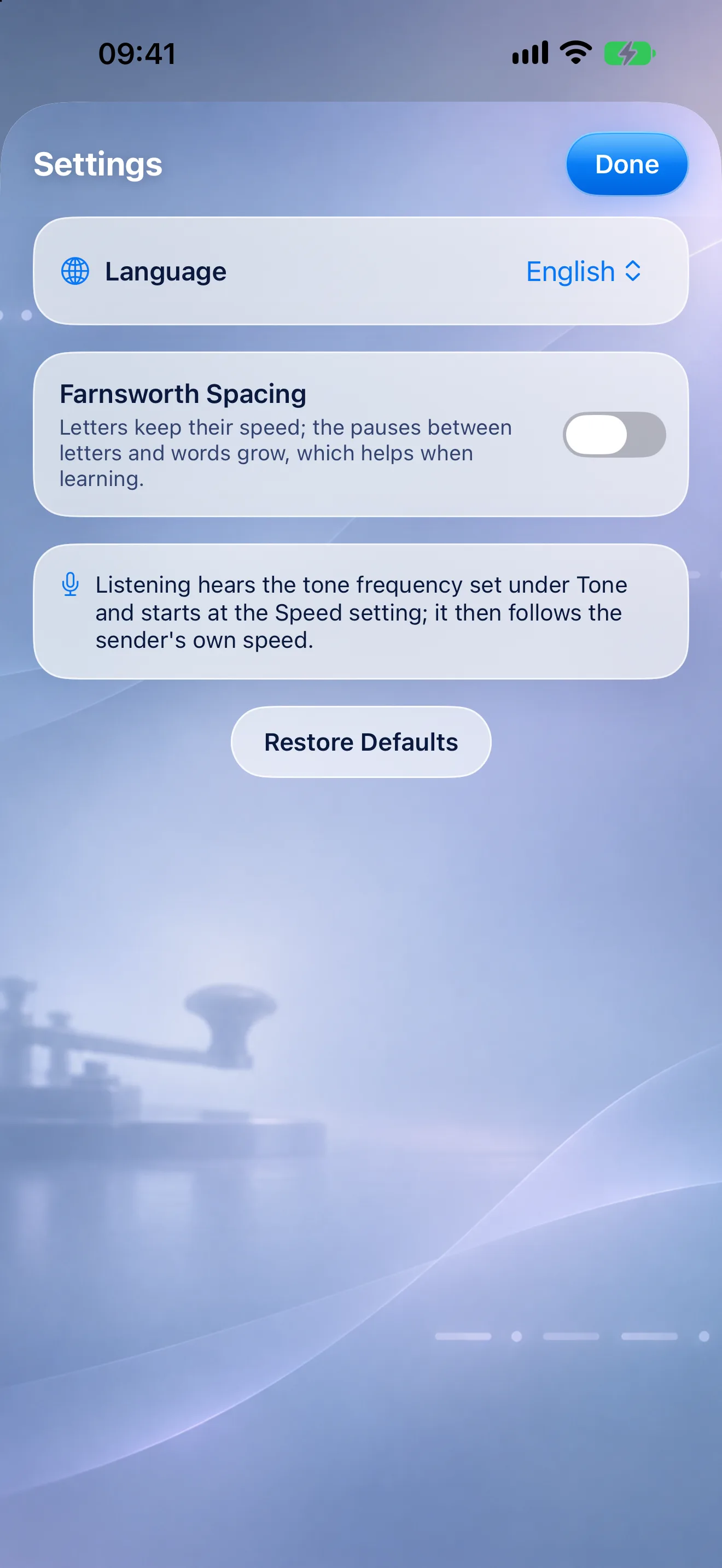
Farnsworth spacing
Letters keep their full speed while the pauses between them grow: the classic way to learn.
-
Tap to hear
Every cell of the alphabet plays its own code.
iPhone, iPad and Mac
One clear screen,
wherever you are.
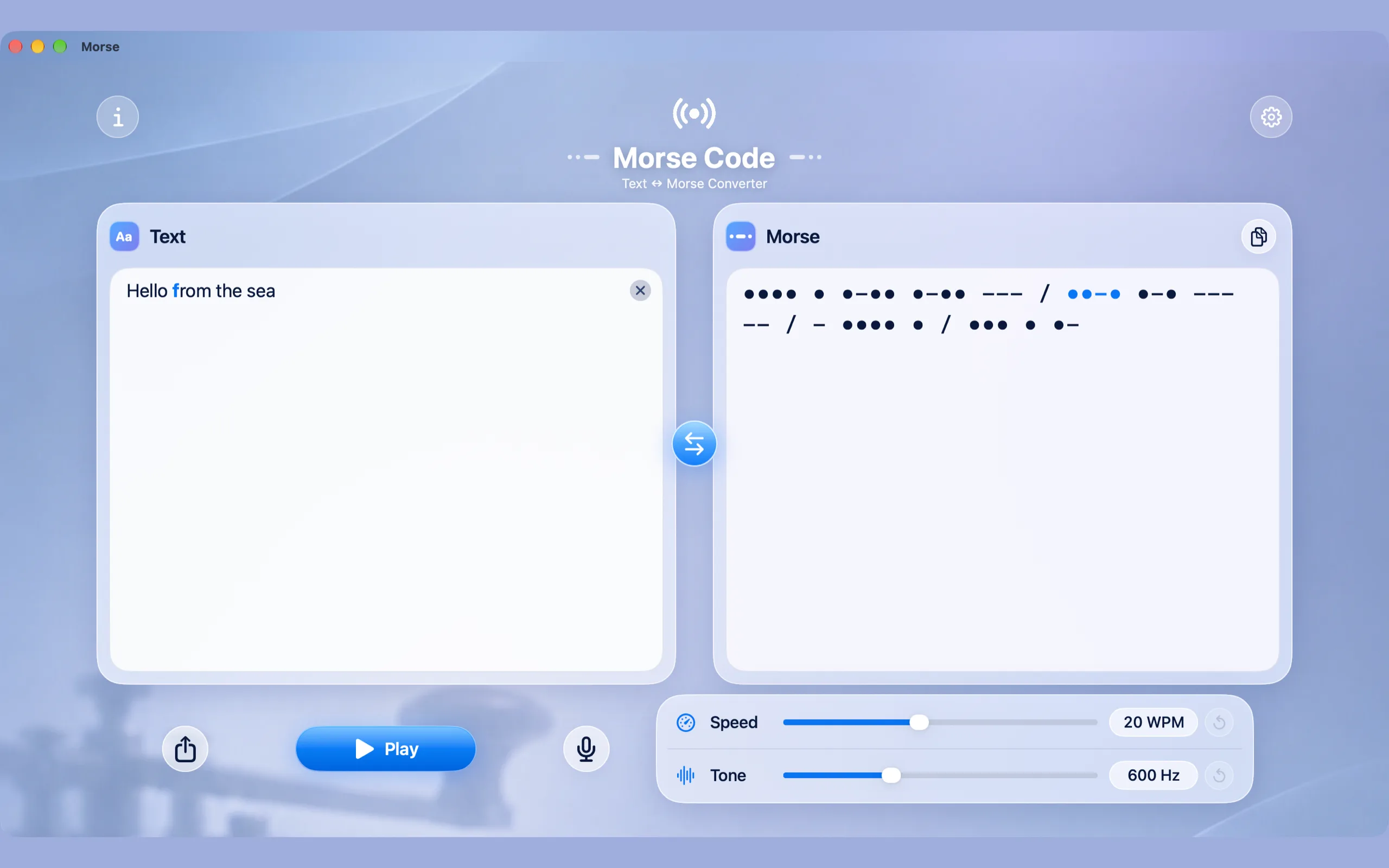
The same calm design on every device, fitted to its screen: on the Mac the two cards sit side by side. There ⌘↩ plays and stops and ⇧⌘M swaps the direction.
-
iPhone
iOS 26 or later
-
iPad
iPadOS 26 or later
-
Mac
macOS 26 or later, Apple silicon
In English, Hungarian, German, Italian, Croatian and French, switchable in the app’s Settings.
Privacy
What you say and type
stays with you.
Morse has no account, no ads and no tracking, and collects no data. The microphone is used only while you have it on, what it hears is decoded on the spot and never recorded or saved, and dictation runs on your device.
Questions
Frequently asked
Where can I get it?
Morse is coming soon to the App Store for iPhone, iPad and Mac, as a free download. This page will link to it as soon as it is live.
Is it really free?
Yes. No ads, no in-app purchases, no subscription and no account.
Can it decode Morse from the microphone?
Yes. In Morse to Text, tap the microphone: it finds a steady Morse tone between 400 and 1200 Hz, follows the sender’s speed and writes down what it hears. It needs a moment to find the tone, so the very first letter can be missed.
Can I play and listen on the same device?
No: the speaker would feed its own microphone. Play the Morse on a second device (this app on another iPhone, iPad or Mac, or any Morse audio) and listen with the first.
Does dictation send my voice anywhere?
No. Dictation uses Apple’s speech recognition on your device. The first time you dictate in a language, your device may download Apple’s speech model for it.
Which characters does it know?
The international Morse alphabet: letters, digits and punctuation, plus !, $ and _. Accented letters are sent as their base letter. The procedural signals SOS, SK, CT, SN and HH are recognised when listening or decoding.
What is Farnsworth spacing?
A way to learn Morse: each letter is sent at full speed, but the pauses between letters and words are longer. You learn the sound of each letter, not a slow version of it. Switch it on in Settings.
Does the Mac app run on an Intel Mac?
No. The Mac app needs macOS 26 or later on a Mac with Apple silicon.
Which languages is the app in?
English, Hungarian, German, Italian, Croatian and French. It follows your device, or you pick one in Settings ▸ Language.
Availability
Coming soon.
Free.
Morse is on its way to the App Store, one free download for iPhone, iPad and Mac. No ads, no in-app purchases.